

After clicking on the edit button at the PFCG “starting screen” you can examine a role.

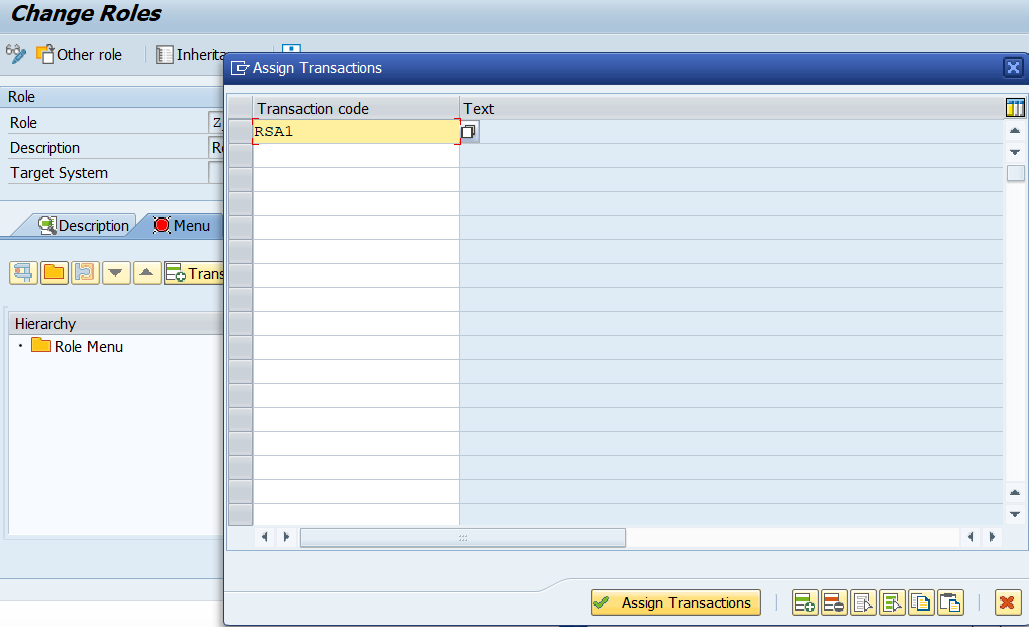
As visible above there are again plenty of possibilies. First though, we focus on the “Menu” tab. With this tab you can assign transactions to your role, by clicking the highlighted button “Transaction“. Then a window opens that supports you entering the transactions also by value help (F4 or the squares icon). Below the transaction RSA1 is assigned – it allows the user to use the Administrator Workbench in Business Warehouse.
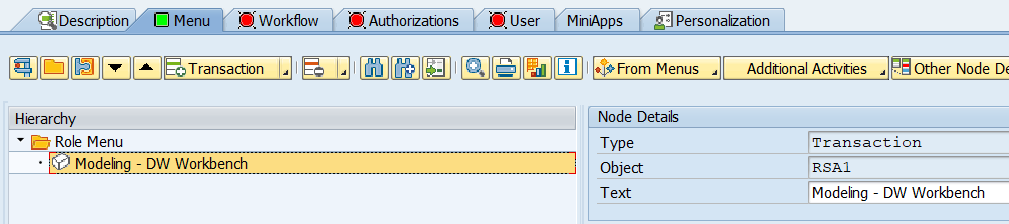
Now, once you assigned the transaction, you can see the transaction assigned at the “Menu” tab under Hierarchy > Role Menu > Modeling – DW Workbench. The user is now basically authorized.
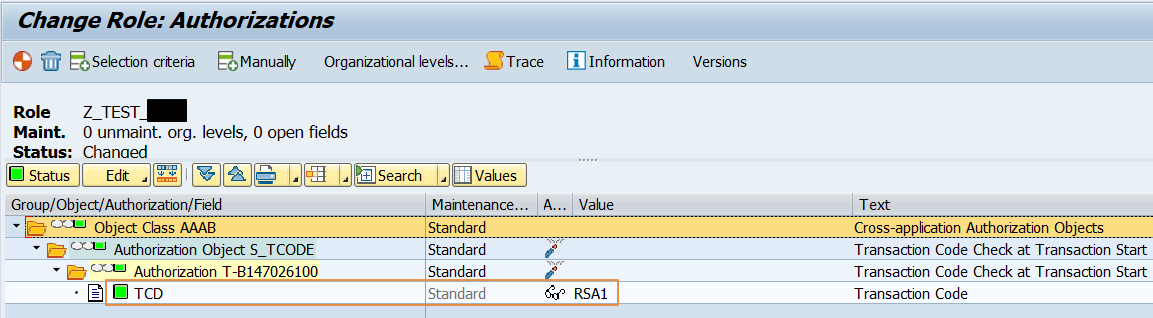
After having assigned this transaction, authorizations are assigned automatically in the background. This automatic assignment depends though on your configuration of the SU24 and SU25. Important note: you can also see if the authorization objects have been assigned by the system or not by looking at the column “Maintenance”: there is the field entry “Standard“. This indicates that your transaction is maintained within the SU24 and therewith assigns the authorizations by default.
If your authorizations are maintained, you will see the indication at the “start screen2 of the PFCG transaction as green squares:
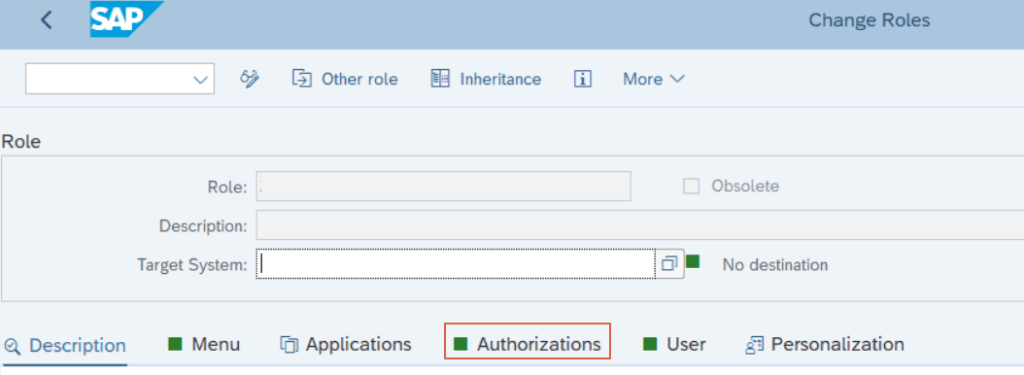
In the end your authorizations (at the tab “Authorizations“) will look like this:
If you want to check the way of creating authorizations correctly check the post PFCG Roles – Authorizations Part I. To learn more about authorizations and the objects check this blog post PFCG – Authorization Objects and Authorization Fields
Summary
You used the PFCG to edit a role. You adjusted the role, by assigning a transaction (RSA1) to it. The system then automatically assigns the required authorizations to the role.
You can find the authorizations at the equally named tab and find the assigned authorization object and its defined fields.
Here, the authorization object Transaction Code Hcek at Transaction Start (technical: S_TCODE) of the object class “Cross-application Authorization Objects” (technical: AAAB) has been assigned to the role. Its field Transaction Code (technical: TCD) is filled by the value “RSA1” – which is exactly what we expected.
To further understand the structure and concept of SAP authorizations check this blog post:
PFCG Authorization Objects and Authorization Fields
Please let me know if this entry helped. Did you find what you looked for? Was the described content clearly structured and well readable?


Thanks for your feedback!
Make a one-time donation
Make a monthly donation
Make a yearly donation
Choose an amount
Or enter a custom amount
Your contribution is appreciated.
Your contribution is appreciated.
Your contribution is appreciated.
DonateDonate monthlyDonate yearly SAP Authorization Universe
One thought on “PFCG – Menu Roles”